Jennifer Gregson

Young Adult Indie Author

Menu
  • Home
Menu

Tag: writing a novel

How to Use Headings and Flourishes in Book Formatting: A Fun Guide for Indie Authors

Posted on July 25, 2025 by Jennifer Gregson

Let’s talk about the little things—the stylish, quirky, and sometimes-overlooked details that can take your self-published book from “meh” to “WOW.”

Think of them as the accessories of your book’s wardrobe. They may not be the main outfit (your story, obviously), but when chosen well, they tie everything together and leave your readers thoroughly impressed.

Why Formatting Even Matters (Let’s Start There)

Before we get all swirly with flourishes, let’s talk about why formatting is a big deal.

Good formatting:

  • Makes your book easier to read (hello, reader retention)
  • Enhances tone and mood
  • Helps convey genre visually
  • Shows professionalism—and let’s be honest, indie authors are crushing it in that department lately!

We’ve come a long way from the days when self-publishing was side-eyed. Nowadays, readers often can’t tell the difference between a beautifully formatted indie book and one from a Big 5 publisher—and that’s amazing. The more polished your book looks, the more seriously you’ll be taken.

So let’s raise the bar (and have a little fun while we’re at it).

Chapter Headings: The First Impression on Every Page

Your chapter headings are the visual anchor of your storytelling flow. They’re often the first thing a reader sees when flipping to a new section. Here’s what you want to consider when setting them up:

1. Font Choices and Genre Vibes

The font you choose should match your genre and tone. Here are a few quick ideas:

GenreHeading Font Idea
Romantic ComedyScript or handwritten fonts
FantasyElegant serif fonts or whimsical styles
Sci-FiTech-inspired, minimalist fonts
Contemporary YAClean sans serif fonts
HorrorGothic or sharp-edged serif fonts

✍️ Pro Tip: A serif font has those little lines or feet on each letter (like a typewriter). A sans serif font is smoother and more modern (think Helvetica).
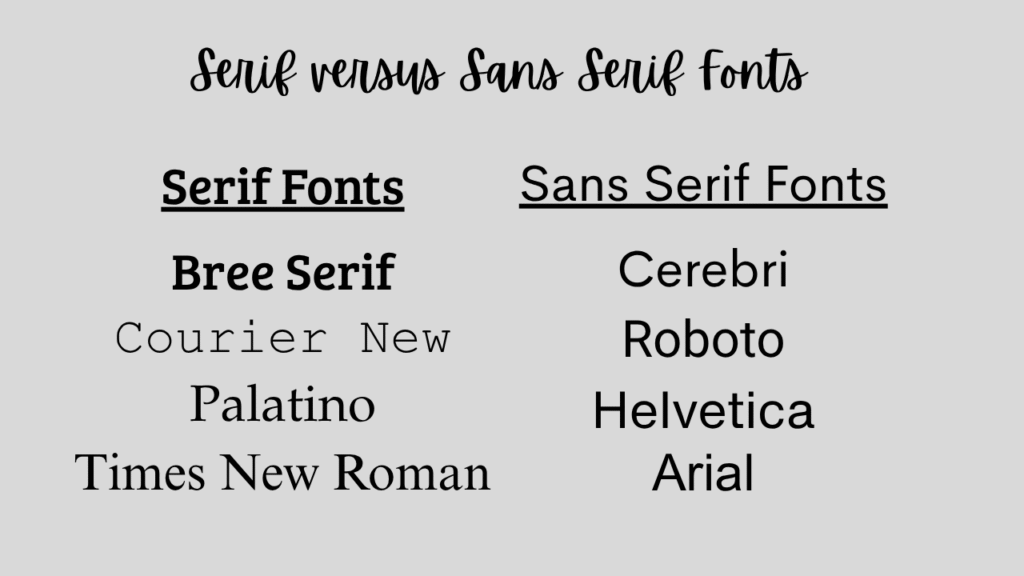
Most formatting tools like Vellum offer great options and a preview panel to test different looks. Just remember: be consistent throughout your book. No switching fonts halfway through!

Heading Placement and Layout

Once you’ve nailed down your font, you’ll need to decide how and where your headings live on the page:

  • Centered or Left-Aligned?
    Centered is classic and clean. Left-aligned can feel more modern and edgy.
  • Chapter Numbering Style
    Do you want “Chapter One,” “1,” or something quirky like “Act I: The Fall”? You get to decide!
  • Chapter Titles or POV Labels?
    If you’re writing a dual POV book (like Etta and Gina, which alternates perspectives), consider labeling chapters with the character’s name:
    → Chapter 3 – Etta
    → Chapter 4 – Gina

This helps your reader stay grounded, especially in romance or multi-character narratives.

Subheadings in Nonfiction? We Got You.

If you’re formatting nonfiction, subheadings are your best friend.

They:

  • Make your book skimmable
  • Guide the reader through complex ideas
  • Break up long walls of text

Use a style hierarchy like:

  • Heading 1: Chapter Title
  • Heading 2: Main Topic
  • Heading 3: Sub-topic

📋 Formatting Tip: Create a simple style sheet for yourself! Even if it’s just a Post-it or Notes app memo, jot down your font choices, heading sizes, and spacing. This will help keep things consistent—especially helpful if you’re formatting in Word or Google Docs.
Let’s Talk Flourishes (aka the Fun Stuff!)

Now for the sparkly part—flourishes! These are the visual decorations that make your print book stand out. Think of them as confetti sprinkled on the pages (just, you know, tastefully).

1. Scene Breaks

You know when your chapter has a time jump, POV switch, or location change? You don’t always need a full chapter break. Enter: the scene break!

Instead of using a boring row of asterisks, you can insert:

  • A cute swirl design
  • Stars ✨
  • A custom Canva-made image (like a vine, a spiral, or a moon phase)

Formatting programs like Vellum usually offer several built-in options, or let you upload your own custom flourish. Just make sure your image is sized correctly (they’ll tell you the specs).

2. Chapter Openers

Another place for a flourish? The beginning of your chapters!

You can:

  • Add a horizontal line or graphic under the chapter title
  • Use large drop caps or stylized first letters (e.g., “The quick brown fox…”)
  • Highlight the first few words in bold or caps for drama

Just keep in mind that some of these effects don’t always translate to eBooks. Flourishes are generally best appreciated in print format, so if you’re releasing both, test both layouts.

3. Text Messages in Modern Fiction

This one’s a little bonus tip! If your modern-day novel includes text messages, you’ve got some formatting choices to make.

You can:

  • Format them like regular dialogue with “she texted” tags
  • Use italics to differentiate them
  • Create actual text message bubbles (some formatting tools allow this!)
  • Use bold headers like:
    SOPHIE: hey are you coming over or nah?

The goal? Clarity and consistency. Whatever style you choose, stick with it so your readers don’t get confused.

Keep It Professional—but Playful

Here’s your guiding principle with headings and flourishes: subtle flair, not visual chaos.

Sprinkles of style are delightful. A full cupcake shop explosion? Not so much.

If you use flourishes on every single page, it might distract from your story. Instead, treat them like spices in a recipe—just enough to enhance flavor, not overpower it.

Style Sheet Reminder 📝

Create a style sheet—even if you’re using pro software like Vellum or Atticus.

Include:

  • Paragraph font
  • Heading font
  • Chapter heading alignment
  • Subheading sizes
  • Flourish choices (for scene breaks, chapter openers, etc.)
  • Any design elements you plan to use in print or eBook versions

This is your visual blueprint, and it makes revisions and consistency so much easier.

Final Thoughts: Formatting Is Your Book’s Vibe Check

Formatting isn’t just about margins and line spacing—it’s part of your reader’s experience.

It gives your book visual personality. It helps communicate your genre and tone before your reader even dives into the prose. And it shows that you, the author, took the time to create a professional, enjoyable product.

Even if you’re not a “design” person, headings and flourishes let you express creativity beyond the words. And the best part? You get to decide what fits your book.

Free Formatting Checklist 🎁

If this all feels a little overwhelming, I’ve got your back. Grab my free formatting checklist—it walks you through everything from front matter to font choices to finishing touches like… yep, headings and flourishes.

👉 Download the Free Formatting Checklist Here
Grab your free Indie Author Formatting Checklist here

Got Questions? Let’s Chat!

Drop your formatting questions in the comments—or message me if you’re stuck on fonts, flourishes, or first-page freakouts. I might even turn your question into a full video or blog post!

Happy formatting, and even happier writing!
book formatting terms for self-publishing authors

Book Formatting Terms Every Indie Author Should Know: Lingo 101 for Self-Publishing

Posted on July 18, 2025July 18, 2025 by Jennifer Gregson

Have you ever been in a Facebook group or emailing your formatter when they casually drop terms like “trim size,” “bleed,” or “widows,” and you just sit there blinking at your screen, wondering if you missed an entire course on publishing jargon?

You’re not alone.

Because here’s the deal: every industry has its own lingo, and publishing is no different. Writers spend years learning about character arcs and three-act structures, but when it comes to book formatting? It can feel like a whole new language.

Let’s change that. Welcome to Formatting Lingo 101!

1. Trim Size (No, It’s Not About Haircuts)

Trim size is the physical size of your printed book. It’s measured in inches (in the U.S.) and it’s one of the very first decisions you need to make before formatting your print book.

Common trim sizes include:

  • 5″ x 8″ – Great for small paperbacks, especially fiction
  • 5.5″ x 8.5″ – A slightly roomier version
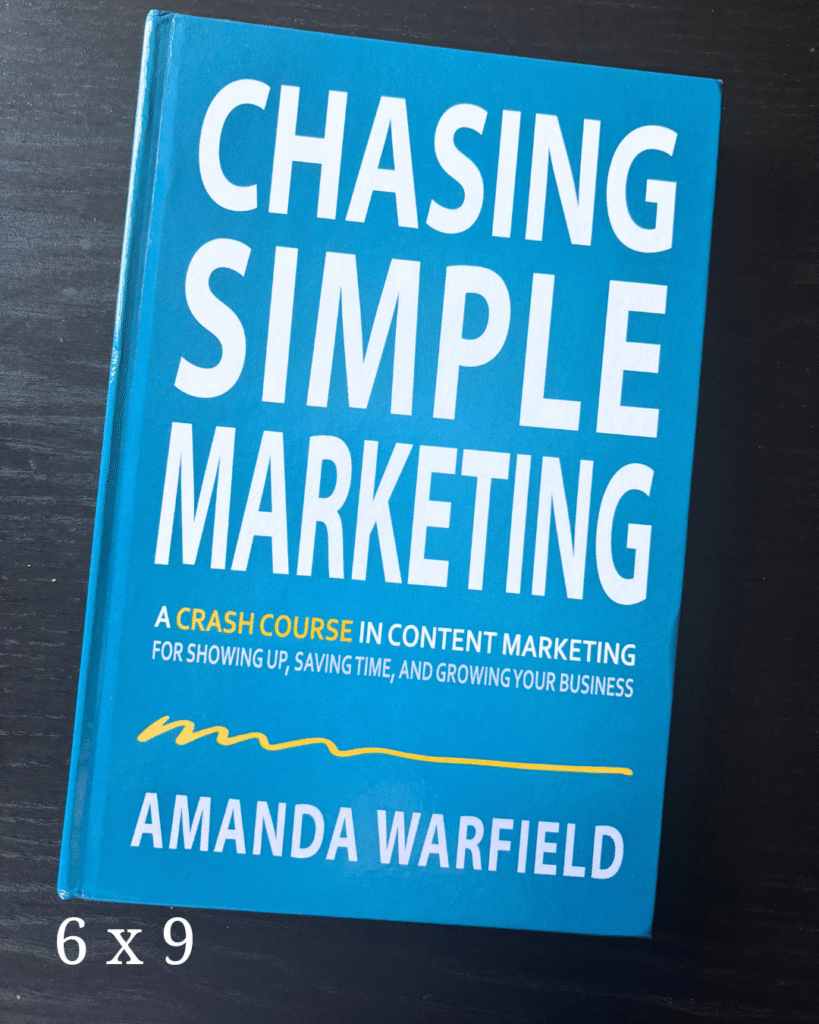
  • 6″ x 9″ – Often used for nonfiction and trade paperbacks

Each trim size gives your book a different feel, and it can even impact page count and printing costs. Want a deep dive on choosing the right one? You can read my blog post about that topic HERE.

👉 Why it matters: Your trim size determines how your book fits on shelves, what readers expect, and how your interior layout looks. Choose this before formatting anything.

2. Bleed (Not As Scary As It Sounds)

Despite the dramatic name, bleed has nothing to do with injuries. In publishing, bleed refers to the extra space around images or colored backgrounds that extends beyond the trim size.

If you’re printing an image that goes all the way to the edge of the page, you need bleed to make sure the printer doesn’t leave a white border. Most formatting programs will ask you if your file has bleed, and it affects how your PDF is exported.

👉 Why it matters: If you’re including full-page images or design elements that reach the edge, always account for bleed in your design and formatting files.

3. Margins (The Quiet MVPs)

Margins are the blank spaces around your text. In digital formatting, they make your book readable. In print, they’re even more important—especially the inner margin (also called the gutter) that runs down the center when you open the book.

You want enough space so your text isn’t swallowed by the spine.

👉 Why it matters: Too-small margins make your book hard to read and may get your file rejected by distributors like KDP or IngramSpark.

4. Front Matter and Back Matter (The Bookends of Your Book)

These might sound familiar, especially if you’ve read my previous blog posts on front and back matter, but they’re worth repeating.

  • Front Matter: Everything that comes before Chapter One—title page, copyright, dedication, table of contents, etc.
  • Back Matter: Everything after “The End”—about the author, acknowledgments, teaser for the next book, and links to your other work.

👉 Why it matters: These sections set the tone (and future sales potential) of your book.

5. Headers, aka Running Heads

Headers (sometimes called running heads) are the small lines of text at the top of each page. They usually contain the book title, author name, or chapter title.

In fiction, it’s often:

  • Odd pages: Author Name
  • Even pages: Book Title

In nonfiction, you might use chapter titles instead to help readers navigate.

👉 Why it matters: Headers create a polished, professional look and improve usability—especially for nonfiction readers who jump around.

6. Widows and Orphans (Don’t Worry, We’re Still Talking About Books)

In publishing lingo:

  • A widow is a single word or very short line at the end of a paragraph that appears at the top of a new page.
  • An orphan is a similar lonely bit of text left stranded at the bottom of a page.

It’s visually awkward and disrupts the reading flow. Formatting software can sometimes automatically fix these, but you’ll want to check your layout manually, especially in print.

👉 Why it matters: Leaving a single word dangling on a new page just looks… off. It’s a small detail that makes a big difference in professionalism.

7. Embedded Fonts

If you want your book to use a specific font—especially a custom one—you’ll need to make sure it’s an embedded font.

Embedded means the font is included in your exported file so that it displays correctly across devices and when printed. Some free fonts (like Google Fonts) are embeddable. Others, especially ones you purchase, may have licensing restrictions.

Formatting software like Atticus, Vellum, and even Canva often include licensed fonts you can safely use. But if you’re uploading your own, double-check that it’s embeddable.

👉 Why it matters: Without embedding, your fancy fonts might not show up correctly on an eReader—or worse, get your file rejected by retailers.

8. File Formats (EPUB, PDF, and Goodbye, MOBI)

Different file formats serve different purposes:

  • EPUB: The standard format for eBooks. Used by most retailers including Apple, Kobo, and Barnes & Noble.
  • PDF: Required for print files like paperbacks and hardcovers. It preserves layout exactly.
  • MOBI: Used to be Amazon’s format, but is being phased out. Most of the time now, Amazon accepts EPUB files too.

👉 Why it matters: Always check which file type your publishing platform requires. Formatting for print vs. eBook is not the same.

9. Ask the Questions (Seriously, We Don’t Mind!)

One last, very important term: Ask.

Okay, not a formatting term, but hear me out.

If your formatter or publishing software throws out a word or phrase you don’t know, ask. There are no dumb questions here. Every formatter—myself included—has gotten so used to this vocabulary that we sometimes forget not everyone lives in formatting land.

So whether you’re DIY-ing your book interior or hiring a pro, speak up. Ask what a term means. Google it. Or hey, drop a comment or DM me and I’ll explain.

👉 Why it matters: Your book. Your name on the cover. You deserve to understand what’s happening during every step of the publishing process.


Feeling overwhelmed? No worries—I’ve got a free formatting checklist just for you! This guide walks you through everything from front matter to final file formats, and it’s perfect whether you’re doing it yourself or working with a formatter.

👉 Download the Formatting Checklist Here

Grab your free Indie Author Formatting Checklist here

Final Thoughts: You’ve Got This

Book formatting lingo might feel intimidating at first, but once you understand a few key terms, it becomes much easier to communicate with your formatter, pick the right software, and feel in control of your publishing process.

And remember: You don’t have to learn it all at once. Bookmark this post. Save it for later. Come back to it every time you need a quick refresher.

Got questions? Drop them in the comments or send me a message—I’ll answer directly or maybe even turn your question into a future video or blog post.

Happy formatting—and even happier writing!

what to include in the back matter of a self-published book

Don’t Leave Your Reader Hanging: What to Include in the Back Matter of Your Self-Published Book

Posted on July 18, 2025July 18, 2025 by Jennifer Gregson

So, your story’s over. You typed “The End,” closed your laptop with a flourish, and maybe even did a happy dance in your kitchen. But hold up — your book isn’t quite done yet.

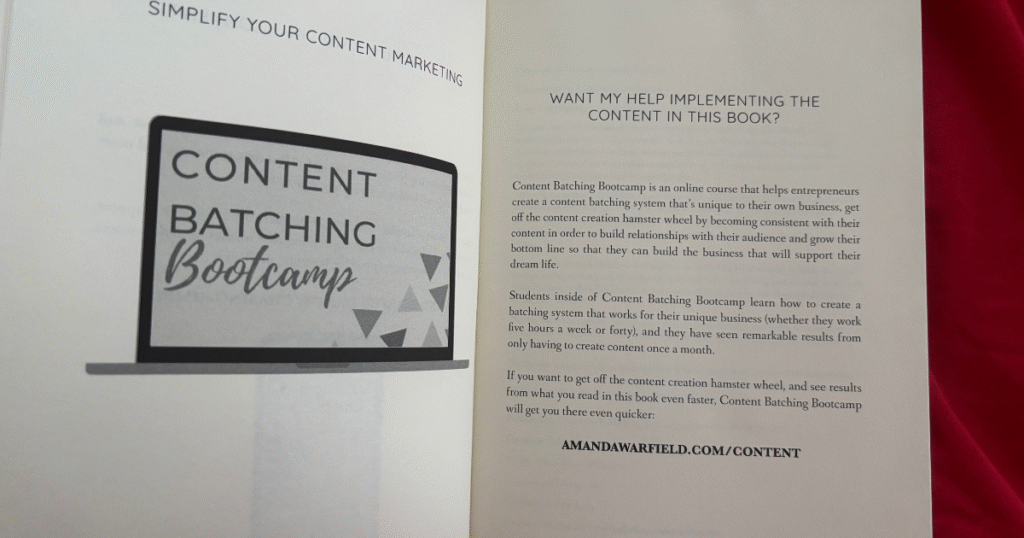
There’s a little section often overlooked but packed with potential: the back matter. And if you’re an indie author, this part of your book is more than just a place to say thanks—it’s prime real estate for building reader relationships, teasing future books, and even getting more sales.

The back matter is everything that comes after your story ends. Unlike front matter (which includes required bits like your copyright notice), the back matter is optional—but oh-so-powerful. Think of it like the dessert at the end of a good meal. You could technically skip it, but… why would you want to?

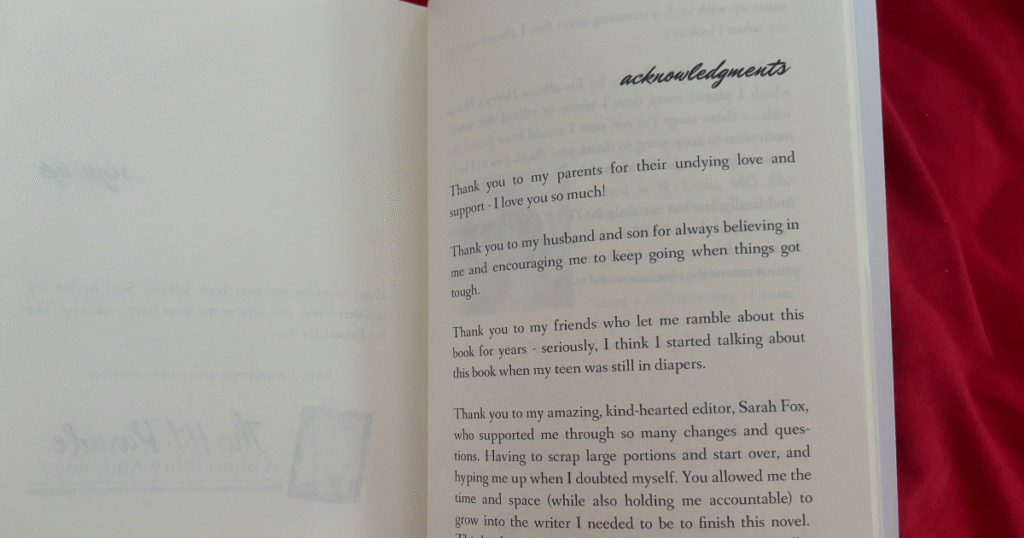
Acknowledgments: Your Mini Oscar Moment

Let’s start with the feel-good stuff: acknowledgments.

This is where you shout out your beta readers, critique partners, editor, cover designer, and of course, your family and friends who cheered you on through every word. Think of it as your own little Oscar acceptance speech—no fancy gown required.

Tip: Keep it warm and personal. Readers love seeing the human behind the pages.

About the Author: Introduce Yourself (Again)

If you didn’t include your author bio in the front matter, this is the place to do it. And even if you did, it’s totally fine to include a slightly more relaxed or personalized version in the back.

Include a current headshot and a short or medium-length bio. You can keep it consistent across all your books or tailor it a bit to match the tone or themes of the one they just finished.

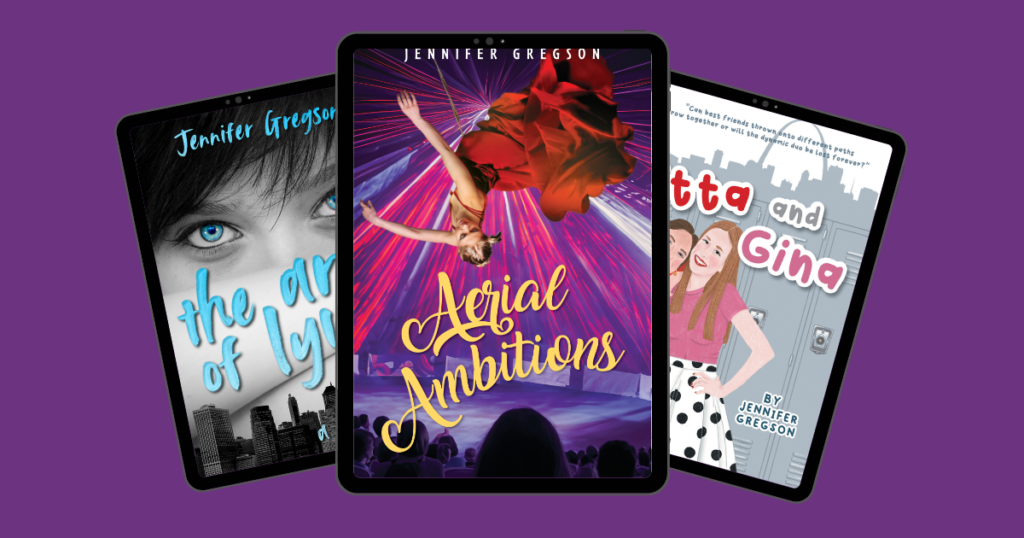
For example, in my novel Etta and Gina, which is set in my hometown of St. Louis, I mentioned how writing the book helped me reconnect with the foods and feelings of my childhood. That little personal touch goes a long way in making readers feel like they know you.

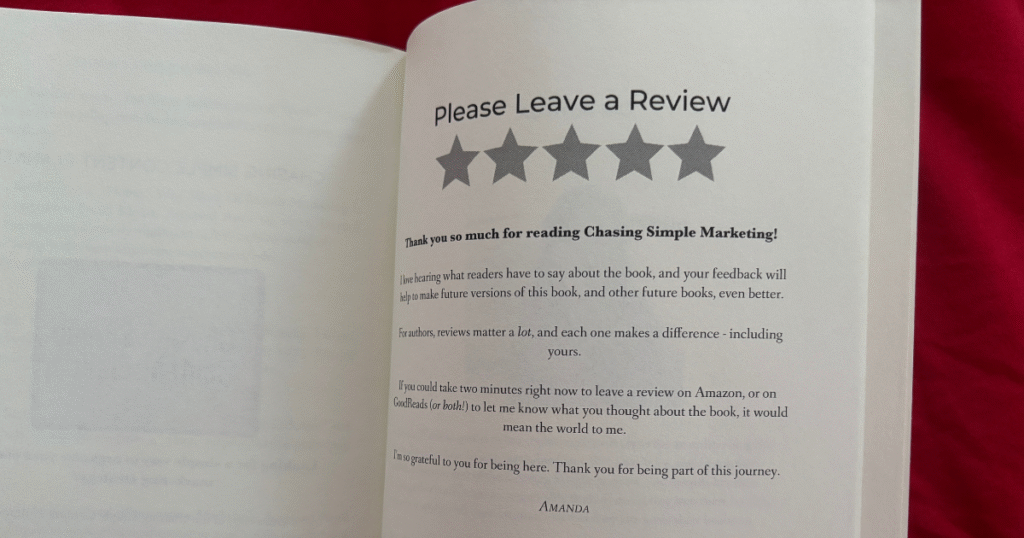
Ask for the Review (Nicely!)

Readers who make it to the end of your book? They like you. So don’t be shy—ask for a review!

You can phrase it warmly, like:

“If you enjoyed this book, I’d love it if you left a quick review—it helps other readers discover it!”

Include a universal review link or use smart links that send them back to the store where they purchased the book (Amazon, Apple Books, Kobo, etc.). Some professional formatting tools can even do that automagically.

Invite Them to Your Newsletter

Your back matter is an ideal place to invite readers to join your email newsletter. Why? Because they’re already invested in your story and your voice. Strike while the bookish iron is hot!

Let them know:

  • What they’ll get (freebie, bonus chapters, character art, etc.)
  • How often you email (weekly, monthly, just when there’s news)
  • Why they’ll love it

Bonus tip: Include a visual—like a mini banner or mockup of your freebie—to grab attention.

how to format the back matter of a book

Sneak Peek: Tease the Next Book in the Series

Got a sequel brewing? A series planned? A novella connected to the main character’s dog’s cousin? Now’s the time to tease it.

If you’ve already drafted Book Two, share the first chapter or even just a short teaser. Readers love feeling like insiders. You can even say:

“You’re one of the first to read this sneak peek!”

Then—this is important—follow it with a newsletter signup or a purchase link so they can stay in the loop or buy the next book immediately.

If your series is complete (first of all—go you!), go back and add the first chapter of the next book in each one. Yes, it’s a little extra work, but it keeps your readers binging your stories like it’s Netflix.

List of Other Books by You

This is especially helpful if you’ve got multiple books out. Don’t assume readers know about all of them!

Create a clean, organized “Also by” section that:

  • Groups books by series
  • Lists standalone titles
  • Includes purchase links (again, universal or store-specific)

This helps readers know where to go next and builds trust in your author brand.

indie author back matter checklist

Formatting Tips for a Polished Back Matter

Now, let’s talk layout. The way your back matter looks is just as important as what’s in it—especially for print.

Here are a few things to watch out for:

  • Headshot Sizing: Make sure your photo isn’t so large it bumps your bio onto a second page—unless that’s intentional.
  • Print Page Balance: In paperback formatting, odd pages are on the right. If your bio starts on the right and ends on the back (left), you might not like how that looks when the book is open.
  • Spacing and Style: Keep fonts and styling consistent with the rest of your book. You want your back matter to look just as professional as your cover and interior.

Pro tip: If you’re using Vellum, Atticus, or another pro-level formatting tool, use the preview option to double-check layout before uploading your files.


TL;DR: What to Include in the Back Matter of Your Book

Here’s a quick checklist of back matter ideas:

✅ Acknowledgments
✅ Author bio + photo
✅ Request for reviews (with a link!)
✅ Newsletter sign-up info
✅ Teaser or chapter from your next book
✅ “Also by” list of your other titles
✅ Social media or website links

Remember: You don’t have to include everything. Pick the pieces that serve your goals and your reader’s journey. And if you’re unsure, start small and build as you go.


Want More Help with Formatting?

Feeling overwhelmed? Don’t worry—I’ve got your back! 🎉

Download my free Indie Author Formatting Checklist where I walk you through both front and back matter (plus everything in between). It’s beginner-friendly, easy to follow, and available right here.

Grab your free Indie Author Formatting Checklist here

And if you missed my video on front matter, that’s a must-watch too—check it out HERE or on my YouTube channel.


The end of your story doesn’t have to be the end of the reader’s journey with you. By using your back matter strategically, you can:

  • Strengthen your author-reader relationship
  • Sell more books
  • Grow your newsletter
  • Build buzz for future releases

All while giving your book a polished, professional finish.

So next time you’re formatting your manuscript or working with a formatter (hi again 👋), give the back matter a little extra love. Your readers—and future self—will thank you.

Until next time, happy writing and keep being the indie author rock star you are!

💌 Got questions about formatting, front matter, or back matter? Drop them in the comments or send me a DM. I’d love to help!

best trim size for self-published print books

How to Pick the Perfect Trim Size for Your Print Book (with Examples!)

Posted on June 20, 2025June 20, 2025 by Jennifer Gregson

When you hear the word “trim size,” your first thought might be…a haircut? But in the world of self-publishing, trim size refers to the dimensions of your book—and it’s one of the most important decisions you’ll make when preparing your print edition.

📏 What is Trim Size?

Trim size is the final size of your printed book after it’s been trimmed during the binding process. It affects how your book feels in the reader’s hands, how it looks on the shelf, how many pages it has—and yes, even how much it costs to print.

Choosing your trim size early in the formatting process is key. It impacts the design, the page count, and even how your book will be priced through print-on-demand platforms.

📚 The 3 Most Popular Trim Sizes (with Examples)

Here are the most common trim sizes for fiction and nonfiction books:

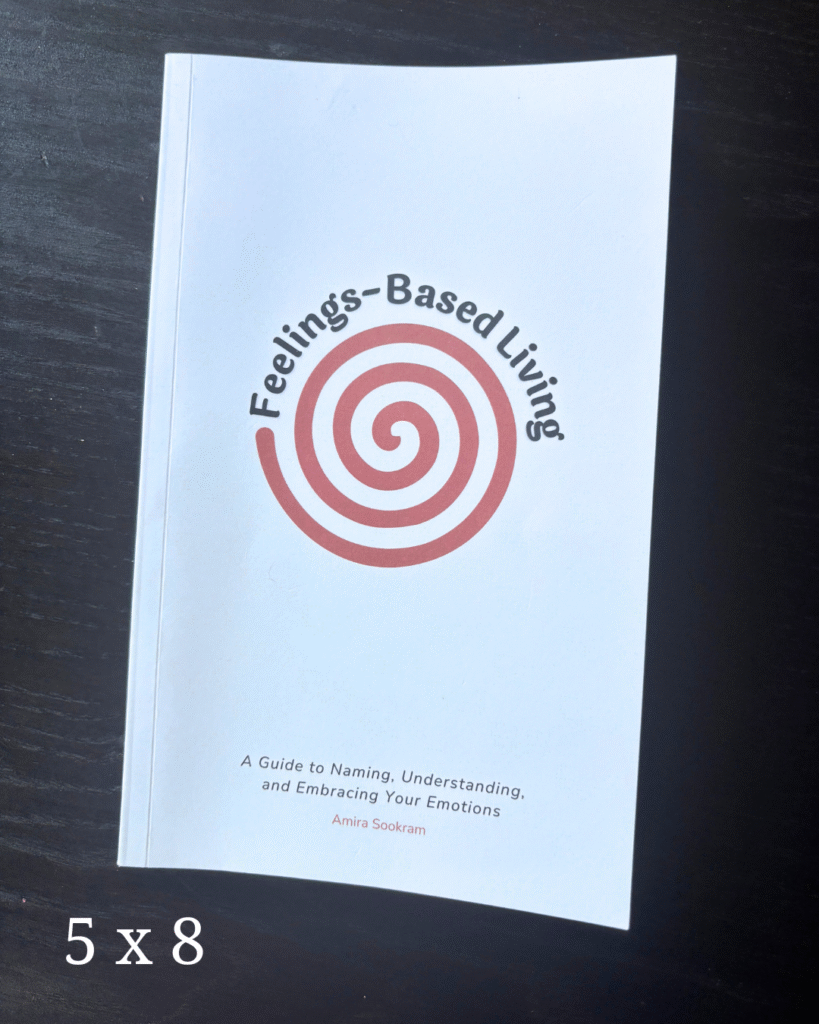
5” x 8”

Often referred to as a “pocket-size” novel. This trim size is great for:

  • Middle grade and early YA fiction
  • Nonfiction books under ~70,000 words
  • Cozy genres that benefit from a smaller, more portable format

It fits nicely in bags and feels “just right” for shorter, focused reads.

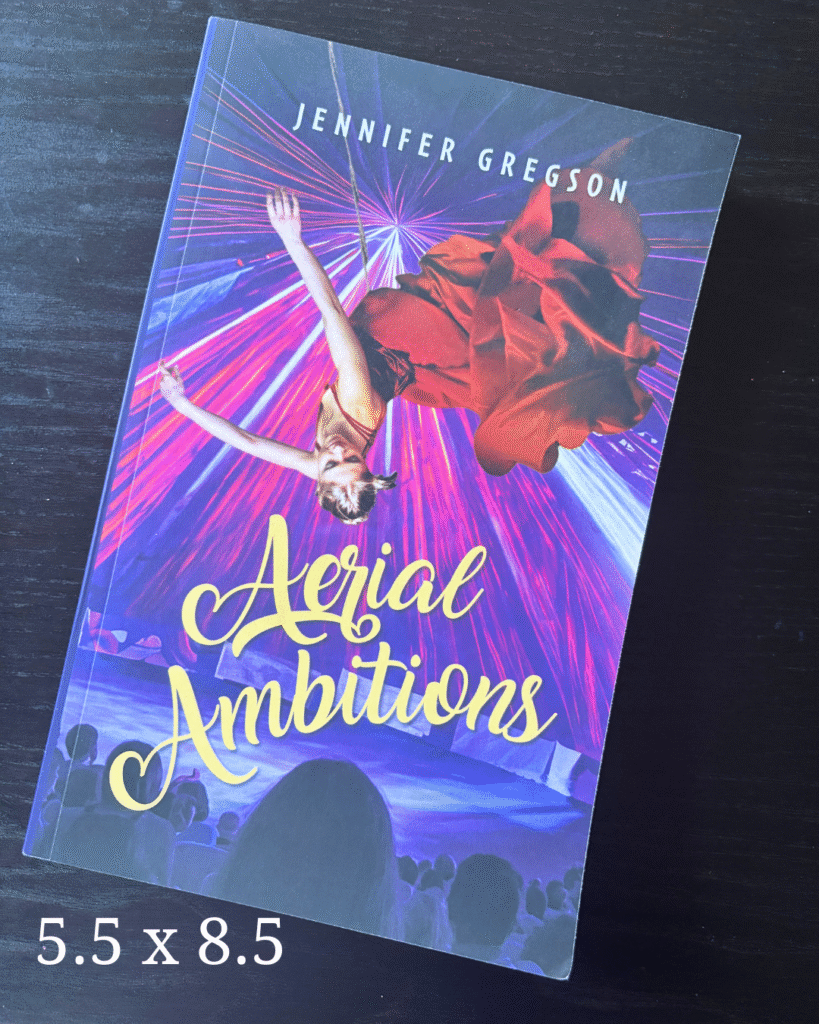
5.5” x 8.5”

This is my personal favorite—and the size I use for all of my YA novels.

It’s:

  • Perfect for young adult, women’s fiction, and general contemporary books
  • Visually pleasing with more room on the back cover for your blurb
  • A middle-of-the-road option for page count and cost

If you’re unsure, check the trim size of your favorite books in your genre—it’s likely many of them use this size.

6” x 9”

A popular choice for:

  • Memoirs
  • Nonfiction with charts, diagrams, or room for note-taking
  • Fantasy or sci-fi novels that tend to run longer

This size is also ideal for hardcover versions of your book—it gives you space and a polished, professional feel.

🎨 Consider Genre & Aesthetic

Different genres often lean toward different trim sizes. Do a bit of research:

  • Visit your local bookstore and check what size books in your category use
  • Measure books you already own and love
  • Think about how you want readers to experience your book—is it cozy and portable or bold and immersive?

Also consider series consistency: if you’re planning a multi-book series, you probably want all the books to match on your shelf. Readers do notice!

💸 Trim Size Affects Cost

Print-on-demand pricing varies depending on trim size and page count. Larger trim sizes can increase printing costs—especially if you’re publishing in both paperback and hardcover.

For example:

  • A smaller book (like 5×8) typically costs less to produce
  • A larger trim size (like 6×9) may cost more but allow fewer total pages, which can balance the pricing

Always check the print pricing tools on Amazon KDP, IngramSpark, or your preferred POD platform before finalizing your choice.

✍️ When Should You Decide on Trim Size?

You don’t need to think about this during your first draft—but once you’re preparing for formatting (whether DIY or hiring help), trim size needs to be locked in. It affects layout templates, page setup, and even design choices.

🤔 What Trim Size Should You Choose?

Ask yourself:

  • What’s common in my genre?
  • How long is my book?
  • Do I want my series to have a uniform look?
  • What aesthetic am I going for?

I write YA coming-of-age fiction and use 5.5 x 8.5, but my upcoming urban fantasy might push me toward 6 x 9 for those longer word counts. I’ll decide once I’m closer to formatting!

📣 Let’s Chat

What trim size are you using? What genre do you write in? Have you found any surprising favorites while researching?

Drop a comment or send me a message! And if you’re stuck choosing or can’t find the info you need, I’d be happy to help.

Grab your free Indie Author Formatting Checklist here
book formatting timeline for self-publishing authors

When to Format Your Book: A Self-Publishing Launch Plan Timeline for Indie Authors

Posted on May 23, 2025 by Jennifer Gregson

Formatting your book is one of the final steps before publishing—but if you wait too long, you could find yourself scrambling at the last minute. Let’s talk about when to schedule book formatting in your launch timeline so you can publish without panic.


📚 You Typed “The End.” Now What?

You’ve edited your book, survived beta readers, and you’re almost ready to upload to your favorite bookstores. But suddenly, your to-do list explodes:

  • Write your book blurb
  • Finalize your cover design
  • Plan your launch
  • And yes—format your book files

It’s a lot. So when exactly should formatting happen in your launch plan?


🕓 Book Formatting Happens Last—But Plan Ahead

While your book is with your editor, you can get a head start on your blurb, cover design, and marketing. But formatting can’t happen until your final edits are complete. It’s one of the last pieces of the publishing puzzle.

⏳ How Much Time Should You Allow for Formatting?

If this is your first book—or the first time using formatting software—give yourself at least 3 weeks. Formatting involves more than just uploading a Word doc and hitting export. You’ll need time to:

  • Choose fonts and font sizes
  • Decide on trim size for paperbacks
  • Prep any images (maps, graphs, charts)
  • Troubleshoot tech issues
  • Learn your software or work with a formatter

And that’s assuming everything else is ready to go!


🛠️ What You Need Before You Format

Before you (or your formatter) can dive into layout, here’s what you’ll need:

✅ Your final manuscript

✅ A finalized cover (at least the eBook version)

✅ All images in PNG, JPG, or TIFF format

✅ A decision on print vs. eBook—or both

If you’re planning to offer a paperback version, you’ll also need to go back and forth with your cover designer. Trim size and page count directly affect the print cover’s spine width, so factor in a buffer for those revisions.


🎁 Planning for ARCs? Format Early!

If you’re sending your book to early readers, launch team members, or ARC reviewers, don’t wait to format. You want those advanced copies to look clean, professional, and polished—not like a draft.


✅ TL;DR: Book Formatting Timeline Recap

  1. Finish edits
  2. Finalize your cover (at least the eBook version)
  3. Prep images and make formatting decisions
  4. Schedule 3 weeks for formatting (especially if you’re DIY-ing)
  5. Allow time for back-and-forth if working with a designer or formatter
  6. Format early if you’re sending ARCs


😩 Feeling Overwhelmed?

You are not alone. Formatting can be technical, confusing, and time-consuming—which is why I created a free Indie Author Formatting Checklist to guide you through it step-by-step. Download it now and avoid last-minute stress.

👉 Grab the checklist here!

Grab your free Indie Author Formatting Checklist here

💬 Let’s Connect!

I post new tips every week on my YouTube channel, where I cover formatting advice, launch planning, and indie author life. Subscribe and come hang out with me!

Are You Burned Out? How to Recover and Prevent Writing Fatigue

Posted on April 4, 2025 by Jennifer Gregson

Burnout is something we don’t talk about enough in the Indie author community, but it’s a reality for so many of us. If you’re feeling exhausted, overwhelmed, or ready to tear your hair out, this post is for you.

What Does Burnout Look Like?

Burnout doesn’t always hit the same way for everyone. Here are a few common signs:

  • Struggling to get words on the page, even 100 feels impossible.
  • Feeling cranky and unmotivated every time you sit down to write.
  • Overwhelm from all the non-writing tasks: marketing, formatting, cover design.
  • Comparing yourself to other authors and feeling like you’ll never catch up.
  • The constant pressure to be productive, especially if writing isn’t your full-time job.

Sound familiar? I’ve been there too. Not long ago, I hit a wall — hard. I was pushing myself too much, juggling writing, marketing, and content creation, and it all felt like too much. I knew something had to change.

How to Recover from Burnout

If you’re currently in the middle of burnout, here’s what I recommend:

1. Step Back Without Guilt

Yes, easier said than done! But taking a break isn’t failing—it’s necessary. Instead of pushing through exhaustion, allow yourself time to rest. The world won’t end if you take a step back.

2. Refill Your Creative Well

Once you’ve rested, focus on creative activities that bring you joy:

  • Read for FUN (not research!) 📖
  • Watch movies 🎬
  • Paint, dance, sing—anything that sparks creativity! 🎨💃🎶

3. Reconnect with Your Story

Before jumping back into writing, remind yourself why you love your story. Think about your characters, your world, and why this book matters to you.

4. Set Realistic Goals

If you were writing three times a week, start with once. Lower your word count goals—try just 50 or 100 words per session. The goal is to ease back in without overwhelming yourself.

5. Redefine Success

Stop comparing your journey to others. Your progress is YOURS. Stay in your lane and focus on your next small step—not the entire mountain ahead.

How to Prevent Burnout

1. Schedule Rest Like You Schedule Writing

Rest isn’t optional—it’s part of the process. Build in time for hobbies, breaks, and white space in your week.

2. Batch Your Marketing

If social media is draining you, try batching your content. Create posts and videos in one go, then schedule them in advance.

3. Celebrate Small Wins

Hit your word count goal? Celebrate! 🥳 It doesn’t have to be big—watching a movie guilt-free or treating yourself to a coffee works too.

4. Lean on Your Writing Community

Feeling stuck? Talk to fellow writers! Burnout is common, and I guarantee others have been through it too. Reach out, share your struggles, and get support.

Final Thoughts

Burnout happens to the best of us. But by recognizing the signs, giving yourself permission to rest, and building in preventative measures, you can keep your writing journey sustainable and enjoyable.

Have you ever experienced burnout as a writer? What helped you recover? Let’s chat in the comments!

4 Things I Wish I Knew Before Publishing My First Book (Indie Author Tips)

Posted on March 14, 2025March 14, 2025 by Jennifer Gregson

Publishing your first book is incredibly exciting, but it can also be overwhelming. When I look back at my first release, there are so many things I wish I had known before I hit “publish.” If you’re a new or aspiring indie author, I hope these lessons will make your publishing journey just a little bit easier.

1. Writing the Book is Just the First Step

I used to think that once I finished my first draft, I was done. But that couldn’t have been further from the truth. After writing comes self-revision, editing, cover design, formatting, and finally, distribution. These steps took far longer than I expected, and I actually had to push back my publication date by six months.

My advice: Give yourself plenty of time for post-writing production so you’re not caught off guard.

2. Marketing is a Long Game

With my first book, I didn’t realize that marketing wasn’t a one-and-done thing. Even with my second book, I still struggled to grasp that marketing is a long-term commitment.

Your book will be out there for years—possibly forever! That’s the beauty of self-publishing. But marketing is ongoing, and new platforms (like TikTok) come and go. The key is to have a flexible plan and be willing to try different strategies over time.

3. Pricing Your Book is Tricky

I made a huge mistake when I underpriced my first book, thinking a lower price would attract more readers. Instead, it had the opposite effect—people assumed it wasn’t high-quality.

Pro tip: Research your genre’s pricing, look at both indie and traditionally published books, and price accordingly. If you’re launching a series, consider making the first book slightly lower in price to encourage read-through.

4. You Can’t Do This Alone

Writing is a solo activity, but publishing doesn’t have to be. I wish I had connected with other indie authors earlier in my journey. Having a community of fellow writers helps with motivation, knowledge-sharing, and marketing support.

Find a writing group, join online forums, or reach out to fellow indie authors. A strong writing community can make all the difference.

What Do You Wish You Knew?

If you’re a published author, what’s one thing you wish you knew before hitting publish? Drop a comment below! And if you’re just starting out, what’s your biggest question about self-publishing?

How to Overcome Creative Fear and Finish Your Passion Projects

Posted on March 7, 2025March 7, 2025 by Jennifer Gregson

Starting a creative project is exciting—but fear, self-doubt, and that relentless inner critic can stop you in your tracks. Whether you’re writing a book, painting a canvas, or launching a new creative venture, fear can make you second-guess everything.

As an indie author, I’ve battled these fears many times, sometimes delaying a project for nearly a year. But through experience, I’ve learned that fear doesn’t have to win. Instead, it can be understood, reframed, and even used as a tool for creative growth.

The Three Types of Creative Fear

  1. Fear of Success – It sounds counterintuitive, but success can be scary. What if people expect more from you? What if you change too much? This fear whispers, What if I can’t keep up?
  2. Fear of Failure – This is the classic What if I’m not good enough? fear. The fear of putting your heart into something and not seeing the results you hoped for.
  3. Fear of Judgment & Imposter Syndrome – Worrying about what others will think or feeling like a fraud can be crippling. Thoughts like What if they find out I’m not as talented as they think? hold so many creatives back.

How to Reframe Fear and Keep Creating

  1. Acknowledge Fear, Don’t Fight It
    Fear isn’t your enemy—it’s trying to protect you, just in a clumsy way. Instead of letting it paralyze you, ask: What is this fear trying to tell me?
  2. Feel It in Your Body
    Take a moment to notice where you feel fear physically—your chest, shoulders, or stomach? This simple awareness can help you move through it.
  3. Journal It Out
    Write about your fear. Ask yourself: Which fear is stopping me? Then go deeper with What am I really afraid of? This exercise brings clarity.
  4. Use Intentional Creativity
    • Tarot – Pull a card representing your inner critic and have a conversation with it.
    • Cosmic SmashBooking – A creative blend of journaling and art that helps reframe limiting beliefs.
  5. Find Accountability
    A friend, a creative community, or an accountability partner can help you push through fear and stay committed to your project.

Fear will always show up in the creative process. The key is learning how to work with it, not against it. So the next time fear tries to stop you, try these strategies and keep going.

Does your inner critic or inner fear hold you back from fully embracing your creative potential?

Whether it’s the voice of self-doubt or the protective whisper urging you to stay in your comfort zone, these inner barriers can make pursuing your creative dreams feel impossible.

But it doesn’t have to be that way!

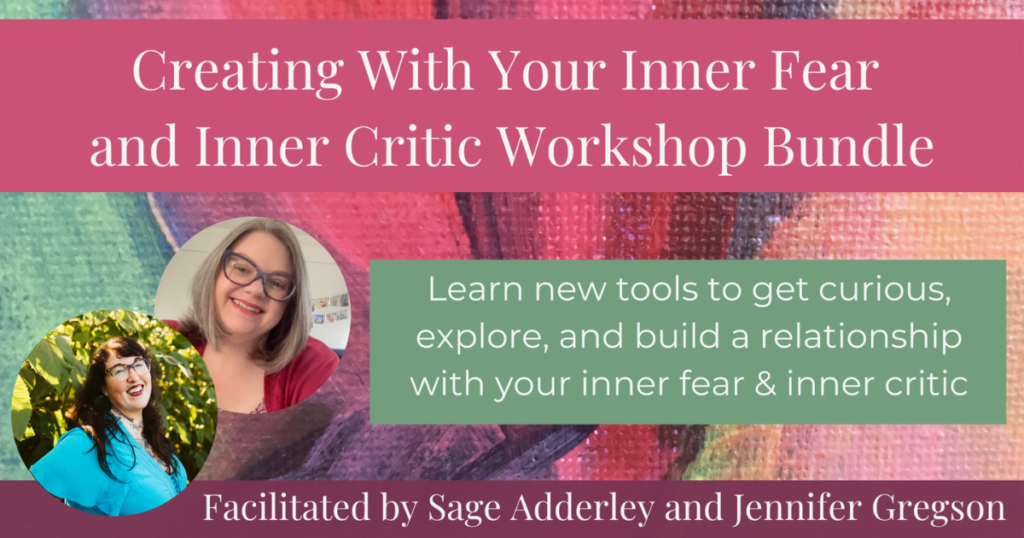
✨ Introducing the Workshop Bundle: Creating with Your Inner Critic & Inner Fear ✨

Join me and my co-host, Sage Adderley, as we guide you through two transformative workshops designed to help you mend your relationship with your inner critic and inner fear. Through creative and intuitive tools, you’ll learn how to approach these inner voices with curiosity and compassion, empowering yourself to create with ease and confidence.

✨ Ready to transform your inner voices and unleash your creative potential? ✨

Join us HERE!!

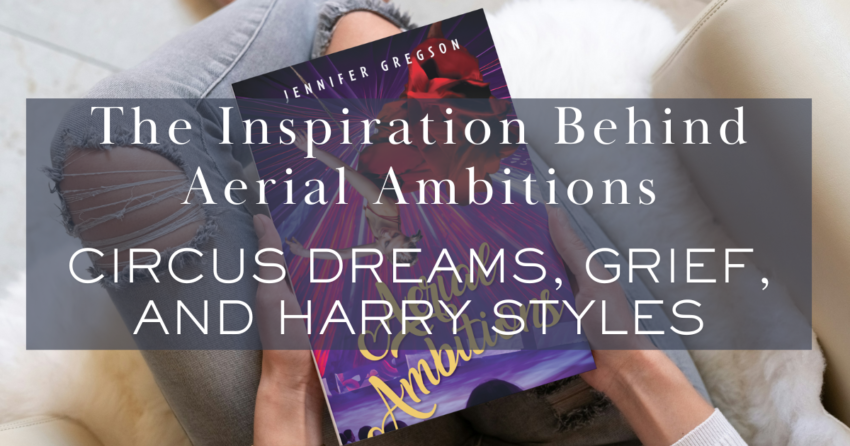
The Inspiration Behind Aerial Ambitions: Circus Dreams, Grief, and Harry Styles

Posted on February 28, 2025February 28, 2025 by Jennifer Gregson

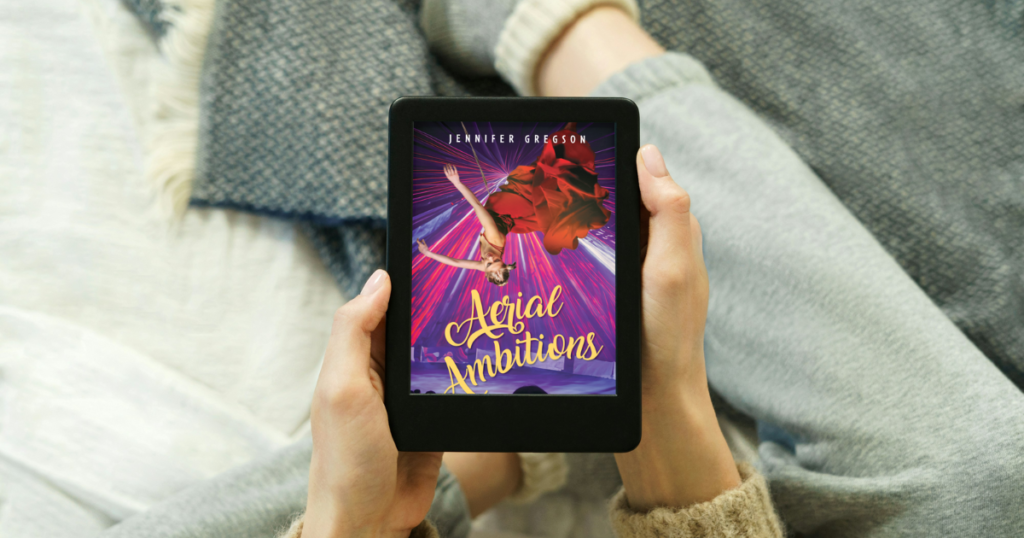
Every book has a story behind the story, and today, I want to share what inspired my third young adult novel, Aerial Ambitions. This book was on my heart for years before I had the chance to sit down and write it, and some of the inspiration behind it was expected—while one source completely surprised me!

A Love for the Circus

One of the biggest inspirations for Aerial Ambitions was, of course, the circus. My main character, Roz, comes from a family of traveling performers, but she leaves that small world behind to join a grand three-ring circus in Chicago.

My love for the circus started early. Growing up in St. Louis, my dad had a lot of friends who were Shriners, and every year, we’d go to the Shriners Circus. I was captivated by the spectacle, the daring stunts, and the larger-than-life performances. My brother was even part of a local circus when we were kids, and I still remember my mom helping him put on his clown makeup.

At one point, I auditioned to be the ringmaster at my performing arts elementary school, though I changed schools before I could actually do it. But the idea of commanding the center of the ring stuck with me, and it eventually found its way into Aerial Ambitions.

Personal Loss and Grief

While the circus theme was a fun and exciting part of the story, Aerial Ambitions also has deep emotional layers. From the beginning, I knew that Razi’s older brother would die—a pivotal event that shapes her journey. Originally, I wrote the scene where he dies attempting a dangerous motorcycle stunt, but in the final version, his death happens before the book even begins.

Though I haven’t lost a sibling to a fiery motorcycle accident, I have lost two siblings to cancer. Writing about grief in this novel meant pulling from my own experiences, using those emotions to make Roz’s pain and resilience feel real. She also lost her mother at a young age—something I haven’t experienced personally, but I channeled my own losses into her story.

A Love for the Spotlight

Beyond the circus itself, Roz’s desire to perform and chase the spotlight mirrors my own past. I have a degree in theater and spent years auditioning for Broadway and regional productions. While I never reached the heights of my Broadway dreams, I’ve always loved being on stage, performing, and captivating an audience.

That craving for the spotlight is a major driving force for Roz. She wants to see her name in lights above the circus tent, to be remembered as a legendary performer. To write her character, I pulled from my own memories—learning monologues, dreaming about seeing my name on a marquee, and the thrill of applause.

A Surprise Inspiration: Harry Styles

Now, for the unexpected source of inspiration—Harry’s House, the album by Harry Styles.

For some reason, that album became my writing soundtrack. I played it every single time I sat down to write or edit Aerial Ambitions, and now, whenever I hear a song from it, I immediately feel the urge to write. It’s like Pavlov’s dog, but for creativity!

I even thanked Harry Styles in the acknowledgments of my book because I truly don’t think I would have made it through the writing process without his music. If anyone out there knows him, let him know I’d gladly send him a copy!

Finding Your Own Inspiration

Writing a book isn’t always easy, and sometimes, the inspiration to keep going comes from unexpected places. For Aerial Ambitions, I drew from childhood memories, personal loss, and my theater background—but also from a pop album that just happened to click with my creative brain.

If you want to check out Aerial Ambitions, you can read the first three chapters for free when you join my newsletter or grab a copy on Amazon (available in Kindle Unlimited, ebook, and paperback).

What’s the strangest thing that has ever inspired you? Let me know in the comments—I’d love to hear your stories!

5 Writing Mistakes I Made as an Indie Author (and How to Avoid Them)

Posted on February 21, 2025February 21, 2025 by Jennifer Gregson

Writing your first book is a huge accomplishment, but the journey doesn’t stop there. As an indie author, I’ve made my fair share of mistakes along the way. Looking back, I can see where I could have saved time, energy, and frustration if I had approached things differently. In this post, I’m sharing the five biggest writing mistakes I made so that you can learn from them and avoid falling into the same traps.

1. Taking Too Long to Write My First Few Books

One of my biggest mistakes was how long it took me to write my first few books. Life circumstances played a role—I was balancing writing with raising a small child—but looking back, I see that my writing process was inefficient.

Each book took years to complete because I hadn’t yet honed my outlining and drafting skills. In fact, I had to scrap an entire 70,000-word draft of my second book because I realized too late that it wasn’t working. Over time, I’ve learned to streamline my process, plan better, and trust my instincts sooner.

How to Avoid This Mistake:

  • Set realistic writing goals and deadlines.
  • Develop an outlining system that works for you.
  • Be open to adapting your process as you learn what works best.

2. Not Promoting My Books Enough

When I published my first book, I barely talked about it. I thought simply writing and publishing a book was enough—but I quickly learned that’s not how book sales happen. I mentioned it once or twice, assumed people would just find it, and then moved on.

Now, I realize how important marketing is. Publishing a book is a big deal, and it deserves to be celebrated and shared. It wasn’t until my third book that I truly embraced the need for promotion.

How to Avoid This Mistake:

  • Talk about your book often—before, during, and after launch.
  • Use social media, email newsletters, and other platforms to spread the word.
  • Don’t be afraid to celebrate your accomplishment!

3. Ignoring My Gut Feeling About a Story

With my second book, I knew halfway through the first draft that I didn’t like my main character. Instead of stopping to reassess, I pushed through and finished the draft—only for my editor to confirm what I already knew: the character wasn’t working. This led to me scrapping the entire draft and starting over.

I’ve since learned to trust my instincts. If something feels off in my writing, I pause, reassess, and seek outside input before I invest too much time in a direction that doesn’t feel right.

How to Avoid This Mistake:

  • Listen to your gut if something feels off.
  • Get feedback early in the process from beta readers or editors.
  • Be willing to pivot when necessary.

4. Not Taking Myself Seriously as an Author

For a long time, I struggled to call myself an author. I downplayed my accomplishments and didn’t give my writing the time and attention it deserved. I treated it like a hobby instead of a career, and that held me back.

It wasn’t until my second and third books that I fully embraced my identity as a writer. Now, I prioritize my writing, make time for it, and proudly claim my role as an author.

How to Avoid This Mistake:

  • Own your title—if you write, you’re a writer.
  • Prioritize your writing time and treat it like a job.
  • Believe in the value of your work.

5. Not Reading Enough

I used to think that taking writing courses was enough, but I didn’t read as much as I should have—both in my genre and outside of it. I missed out on learning valuable storytelling techniques, understanding market trends, and discovering what readers expect from my genre.

Now, I make reading a priority. I choose books that entertain me and also help me grow as a writer, whether they’re fiction, industry-related non-fiction, or business books about publishing.

How to Avoid This Mistake:

  • Read widely, both inside and outside your genre.
  • Study books that are successful in your niche.
  • Stay up-to-date with industry trends and best practices.

Final Thoughts

Mistakes are a natural part of the writing journey, but learning from them is what helps us grow. Each book I’ve written has taught me something new, and I’m sure I’ll continue to make (and learn from) mistakes in the future.

If you want to follow along with my writing journey—including the mistakes I’m making as I write my first urban fantasy series—join my email list! I share behind-the-scenes updates, sneak peeks, and insights into my creative process.

  • 1
  • 2
  • 3
  • 4
  • …
  • 6
  • Next
  • July 25, 2025 by Jennifer Gregson How to Use Headings and Flourishes in Book Formatting: A Fun Guide for Indie Authors
  • July 18, 2025 by Jennifer Gregson Book Formatting Terms Every Indie Author Should Know: Lingo 101 for Self-Publishing
  • July 18, 2025 by Jennifer Gregson Don’t Leave Your Reader Hanging: What to Include in the Back Matter of Your Self-Published Book
  • June 27, 2025 by Jennifer Gregson Front Matter 101: What Every Self-Published Author Needs Before Chapter One
  • June 20, 2025 by Jennifer Gregson How to Pick the Perfect Trim Size for Your Print Book (with Examples!)
© 2026 Jennifer Gregson | Powered by Minimalist Blog WordPress Theme